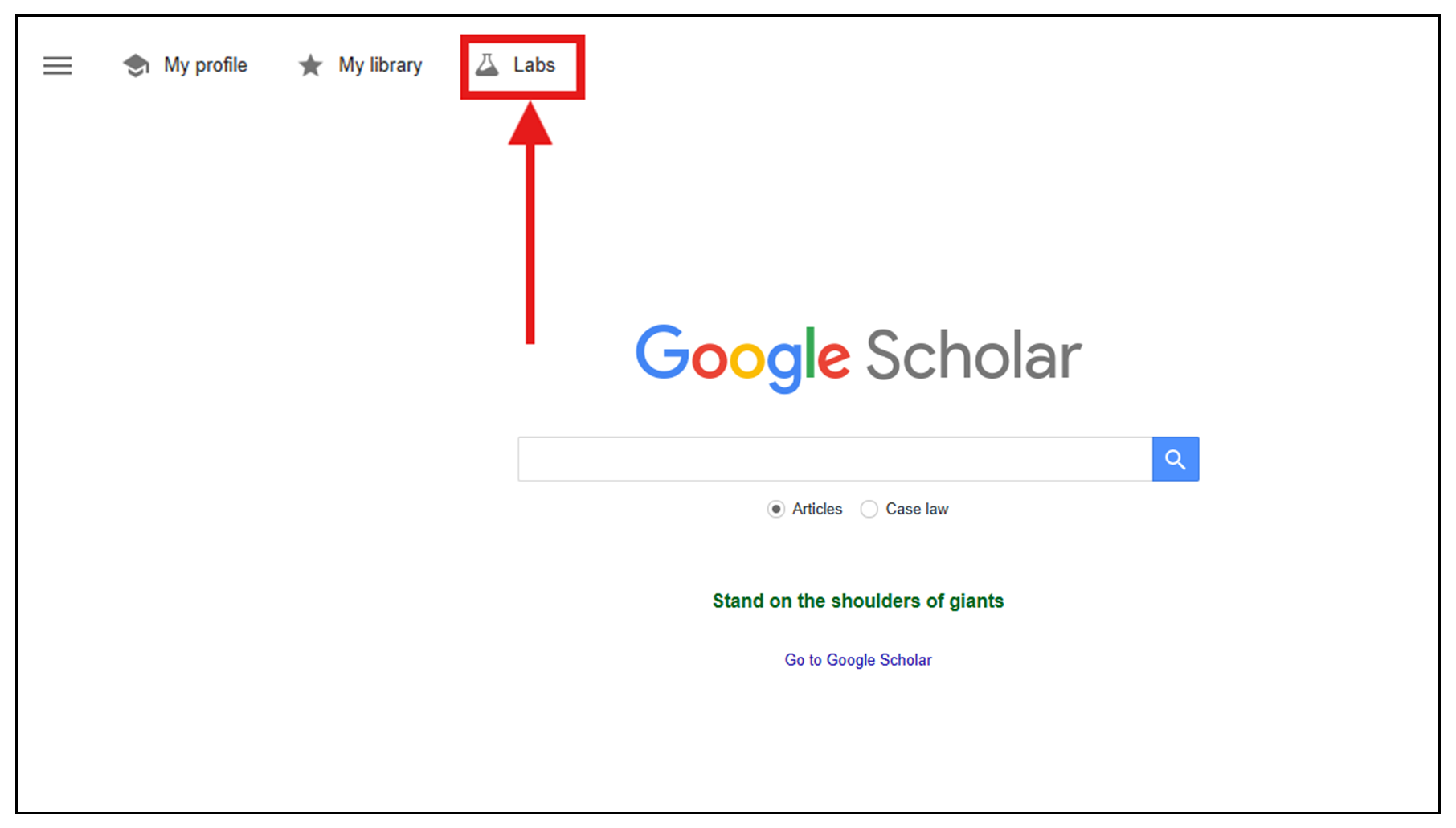
It is easy to add a NHS Scotland library link to the search results in Google Scholar.
This will allow any articles that are available through The Knowledge Network to show an NHS Scotland Journals link alongside the reference.
1. Go to Google Scholar UK
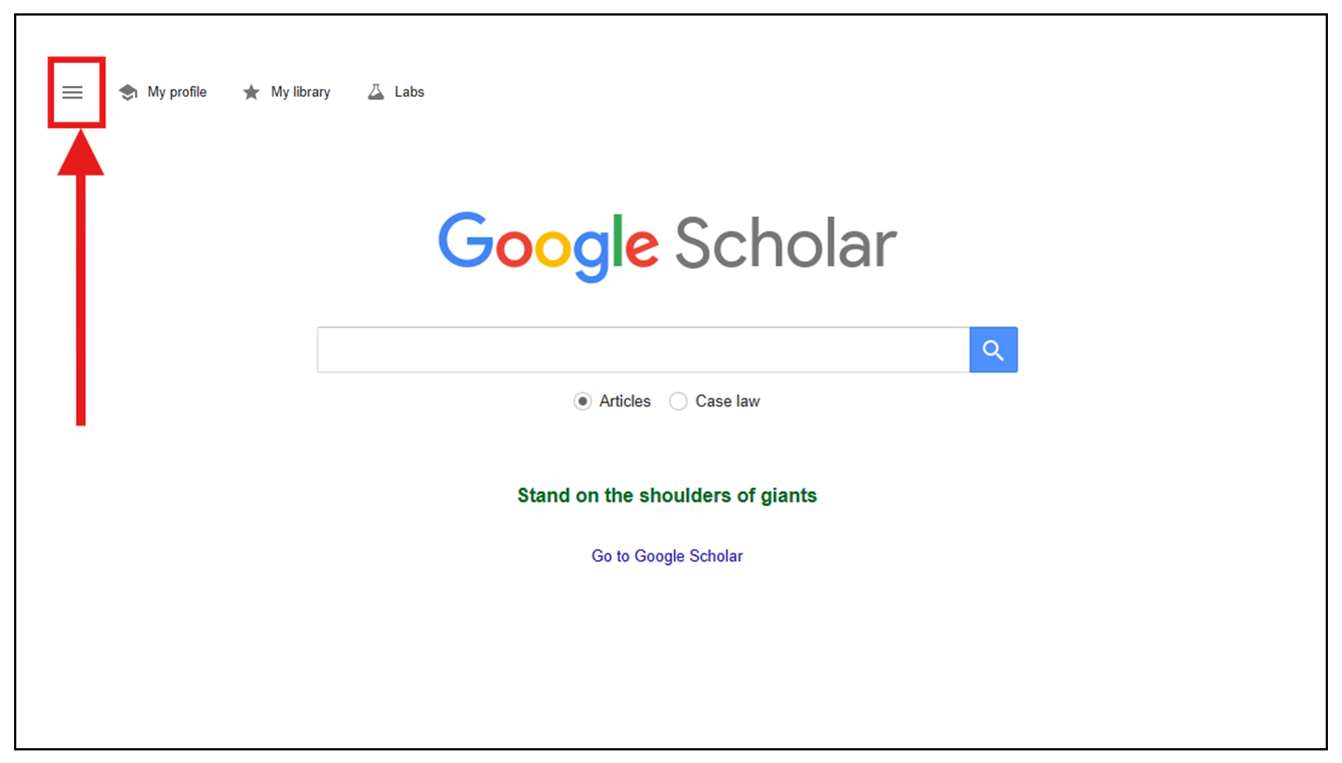
2. Click on the menu icon at top left of the screen.
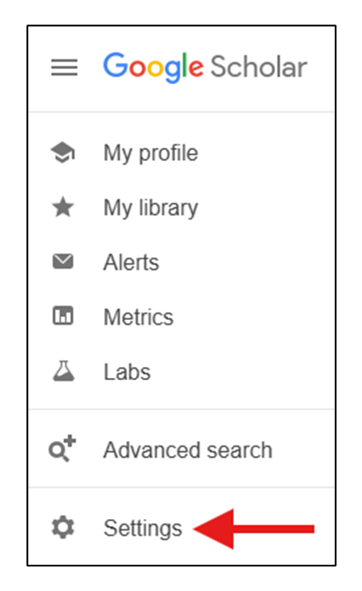
3. Choose the settings cog.
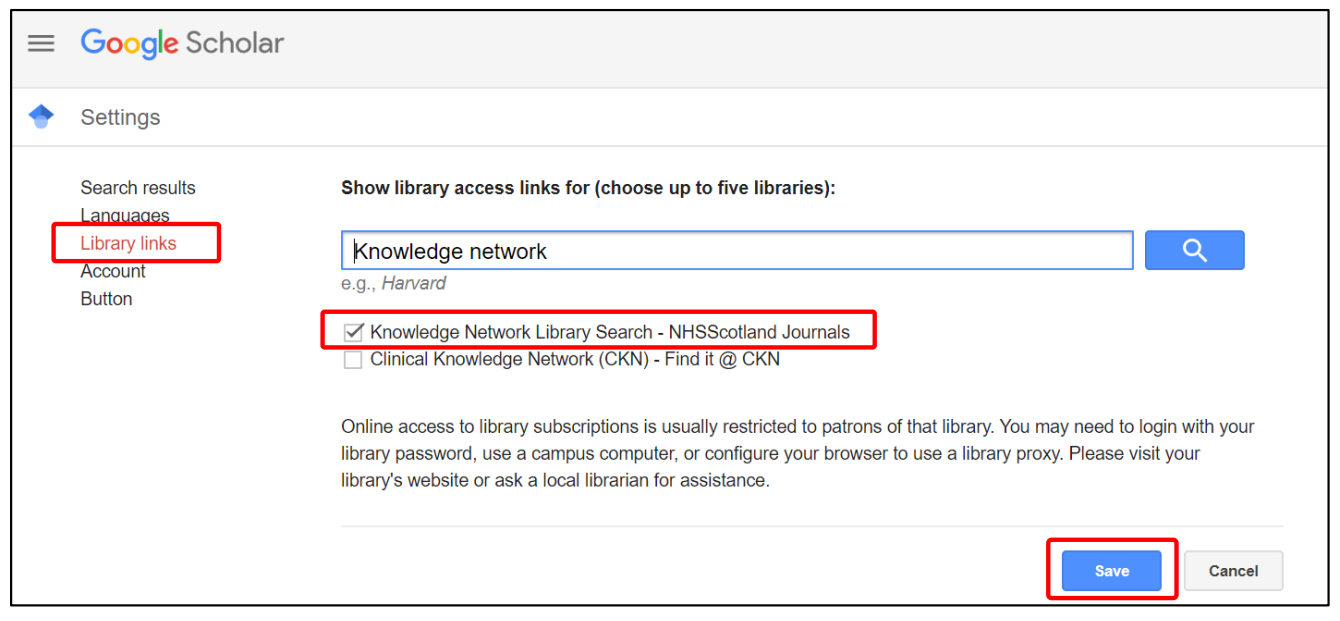
4. Click Library Links (in the left hand menu on desktop / top navigation menu on mobile) and in the search box type 'Knowledge Network'.
5. Tick checkbox for the Knowledge Network Library Search - NHSScotland journals. Untick any other incorrect options and then click Save.
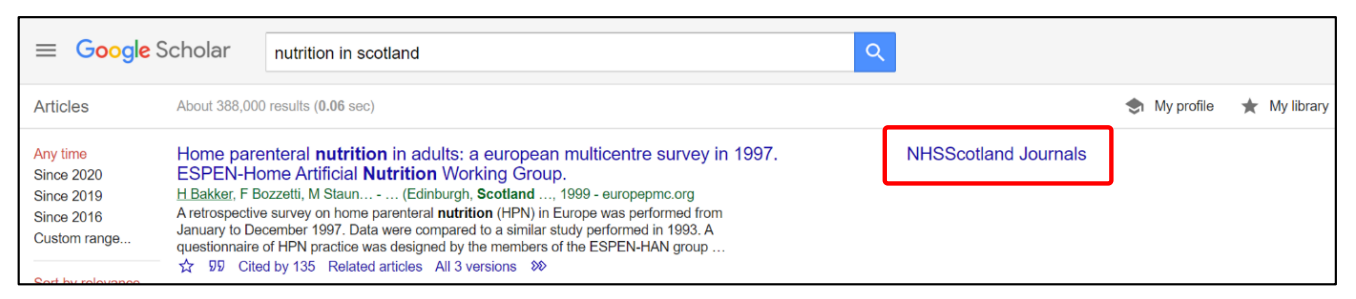
6. Now when you search Google Scholar you will see an NHSScotland Journals link to the right of articles that are available to you via The Knowledge Network.
Google Scholar Labs - AI interface
The 'Labs' option at the top of Google Scholar takes you to their AI interface.
Note their disclaimer: 'Scholar Labs is experimental and can make mistakes'.
You can ask Scholar Labs a question more in the style of an AI prompt meaning you can add more parameters than you might in a standard Google Scholar search. Note that results may vary even if you use the same prompt twice so it can be harder to produce the same results.
Scholar Labs will provide a similar list of article results but with a summary which highlights the relevant information from the article underneath each result.
You will still see the 'NHS Scotland Journals' link where content is available via The Knowledge Network.